


EN
DEENESIDPTRUTRUK

WhatsApp has become one of the most widely used communication channels for businesses worldwide. Customers increasingly prefer messaging over phone calls or email because it is faster, more convenient, and allows conversations to continue across devices. As companies grow, however, managing customer communication from a mobile application alone becomes inefficient. Businesses need a solution that supports automation, multiple users, CRM integration, and high volumes of conversations. This is where WhatsApp Cloud API comes in.
WhatsApp Cloud API, also known as WhatsApp Business Cloud API, is Meta’s cloud-hosted solution that enables businesses to integrate WhatsApp with CRM systems, help desk software, chatbots, and other business applications.
Unlike the WhatsApp Business App, which is intended for manual communication from a single mobile device, Meta WhatsApp Cloud API provides developers and businesses with API access to WhatsApp. This allows companies to automate customer communication, connect WhatsApp with existing business software, and manage conversations from a centralized workspace.
Because the infrastructure is hosted and maintained by Meta, businesses do not need to deploy or manage their own messaging servers. The abbreviation WACA is also commonly used to refer to WhatsApp Cloud API.
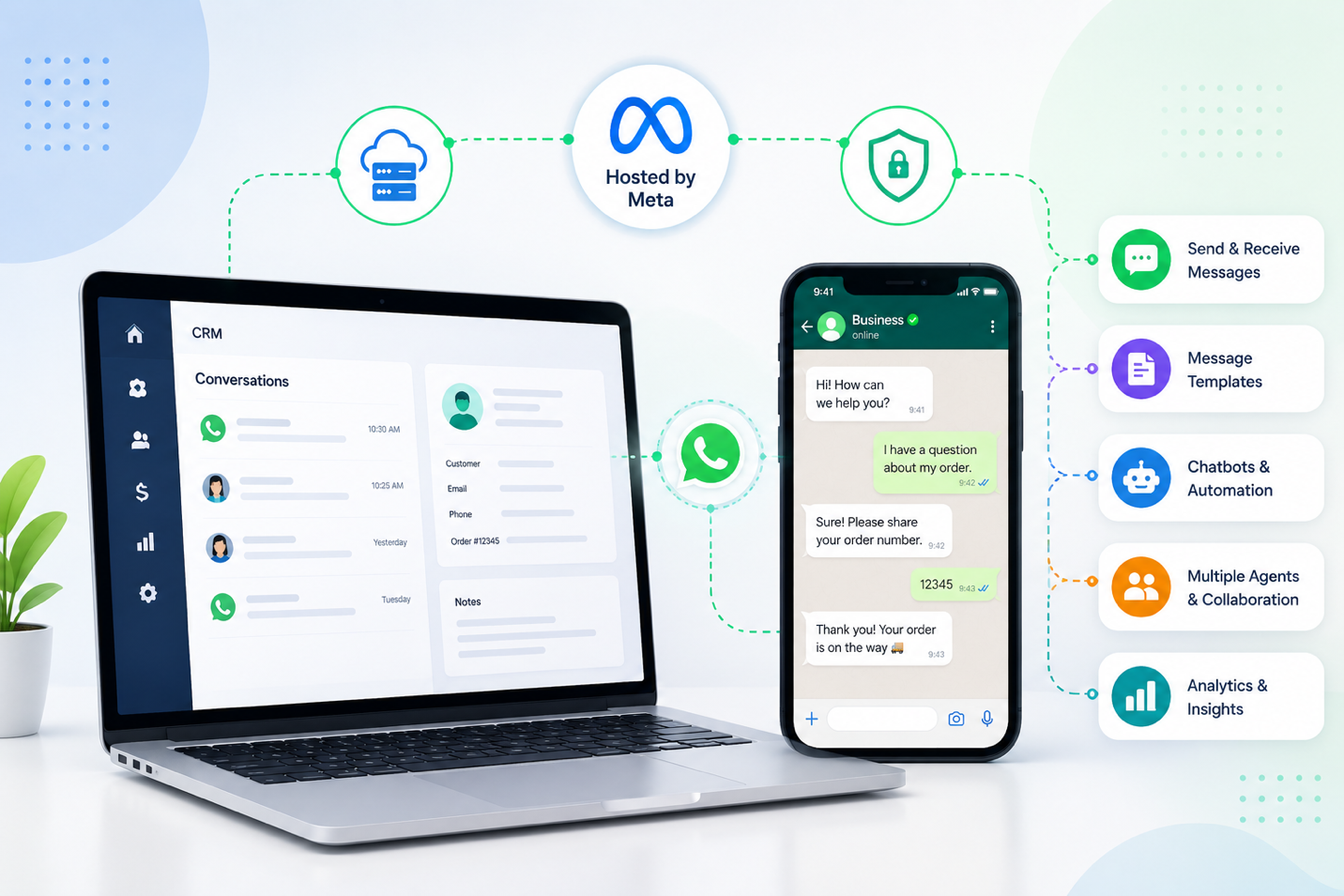
WhatsApp Cloud API acts as an interface between WhatsApp and external business applications. When a customer sends a message, it is securely transmitted through Meta’s cloud infrastructure to the connected system, such as a CRM platform, help desk solution, chatbot, or custom application. Outgoing messages follow the same path back to the customer.
Rather than interacting with WhatsApp through a mobile device, businesses exchange messages via API integrations. This allows connected applications to send, receive, and process WhatsApp conversations as part of their existing business workflows.
WhatsApp Cloud API offers a broad set of features designed for customer communication at scale.
Messaging
Send and receive text messages, images, documents, videos, audio files, contacts, locations, and interactive messages through API integration.Message templates
Use approved templates to start conversations outside the customer service window. Common use cases include order confirmations, delivery updates, appointment reminders, account notifications, and verification messages.Automation and chatbots
Automate routine communication using workflows triggered by customer actions or business events. Chatbots can answer frequently asked questions, collect customer information, qualify leads, and transfer conversations to human agents when necessary.CRM and business software integration
Integrate WhatsApp with CRM systems, help desk platforms, ERP solutions, and other business applications. This gives employees access to customer conversations alongside sales opportunities, orders, support tickets, and communication history.Multi-agent collaboration
WhatsApp Cloud API allows multiple employees to work with customer conversations simultaneously from a shared workspace, making it easier to manage growing volumes of inquiries.Implementing WhatsApp Cloud API helps businesses improve both customer experience and operational efficiency. Companies can reduce manual work through automation, respond to customers more quickly, centralize communication across departments, and maintain a complete conversation history inside their CRM.
Because WhatsApp becomes a part of the existing business ecosystem, sales, marketing, and customer support teams can work with the same customer data without switching between multiple applications. The solution also scales easily as message volumes and team sizes grow.
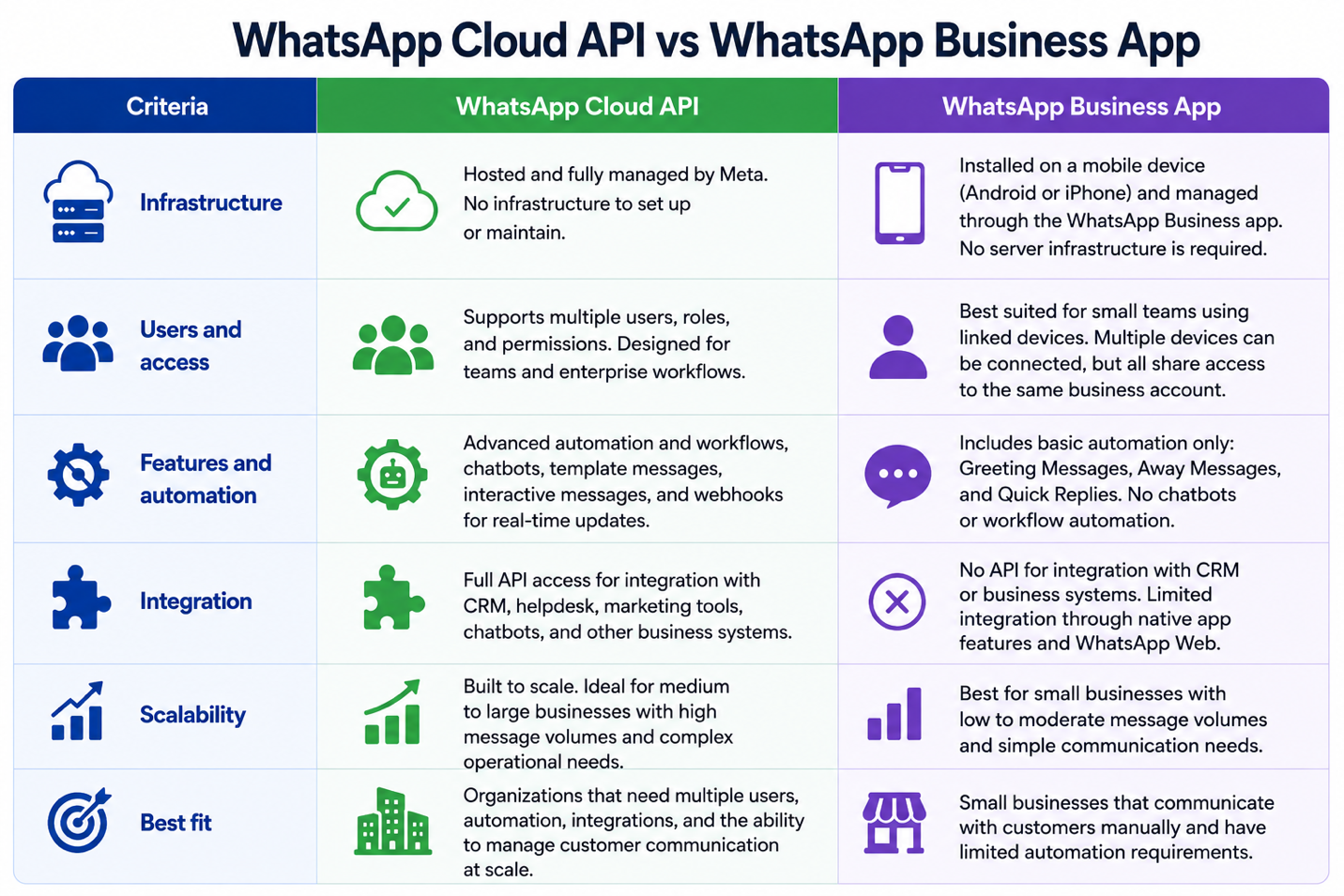
Although both products are parts of the WhatsApp Business Platform, they are designed for different business needs. The WhatsApp Business App is intended for small businesses that communicate with customers manually from one mobile device. It works well for companies with relatively low message volumes and limited automation requirements.
WhatsApp Cloud API is designed for organizations that require multiple users, workflow automation, CRM integration, chatbot support, and the ability to manage customer communication at scale.
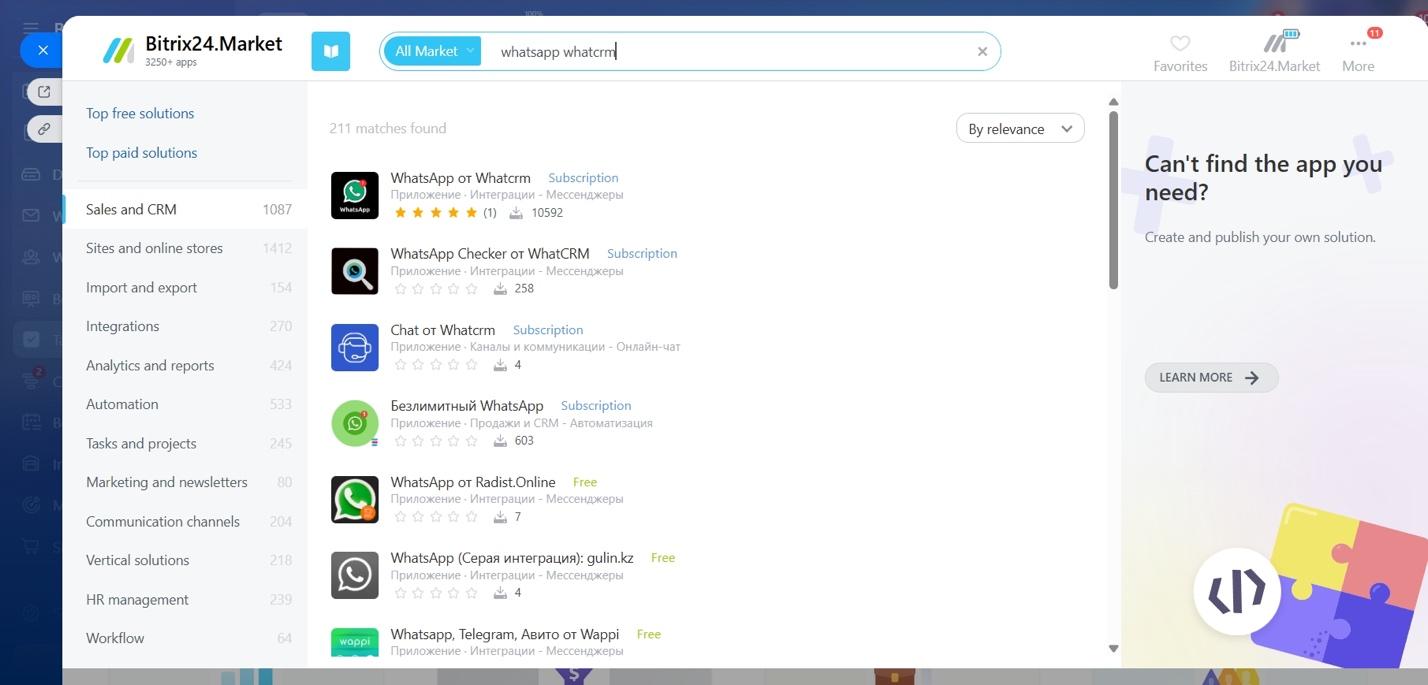
The connection process may vary depending on your CRM system, existing Meta Business settings, and whether you are connecting a new or existing WhatsApp Business Account. In most cases, the setup includes installing the integration, signing in with Meta, selecting the required business assets and phone number, granting the necessary permissions, and completing the configuration inside your CRM.
To avoid missing any required settings, follow the step-by-step WhatsApp Cloud API connection guide in the official WhatCRM documentation.
WhatsApp Cloud API transforms WhatsApp from a standalone messaging application into a fully integrated business communication channel. By connecting WhatsApp with CRM systems, customer support platforms, chatbots, and automation tools, businesses can streamline customer communication, improve team collaboration, and automate routine processes.
For organizations that have outgrown the capabilities of the WhatsApp Business App, WhatsApp Cloud API offers a flexible, scalable solution for customer support, sales, and business messaging without the need to maintain messaging infrastructure.
Get started